TID RNG
Last updated: 2026-03-25 UTCIf a save file is present, delete it by pressing B + X + Up on the d-pad at the title screen. This will remove the save file and start the game at the language select screen.
Tools
Video Guide
Step 1: Set up the tool
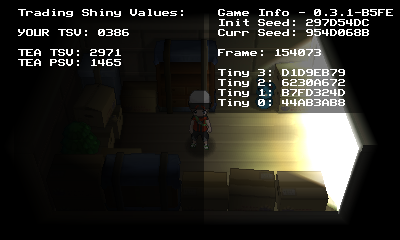
- Input the TinyMT u32 seed from PokeReader into the tool at the bottom of the page.
- If you're on a physical console, turn the "Only Current Seed" on. If you're on an emulator, you can leave it turned off.
- Filter for your desired TID, SID, or TSV.
- Finding a specific TID/SID/TSV combination is very rare. It is advised to RNG for only one at a time.
- If no results are found, increase the max advances.
- If the target advance is too high or the TID/SID/TSV combination is not possible with your current seed, you can reset the game to start over with a different seed.
Step 2: Advance the RNG
- Unpause the game and continue to name your character.
- After confirming your name, you will be asked if the name is correct.
- Selecting "No" and going back to the naming screen advances the RNG by one.
- Repeat choosing "No" until the target advance is reached.
- One you have reached the target advance choose "Yes" to generate the TID.
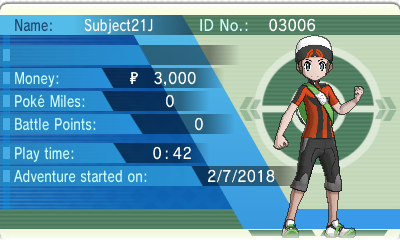
- When you can control your character, check if you got your TID/SID/TSV correct.
Credits
- wwwwwwzx for reverse engineering this logic and 3DSRNGTool.
- Bambo_Rambo for TinyFinder, which this tool is based on.
- Chinese translation: xuanyelin, Hakuhiro.