Starter RNG
Last updated: 2026-04-10 UTCVideo guide
Starter RNG
3DS RNG
Written guide
Note
This guide is interactive and updates instructions based on your settings!
Set up
Pick a starter
Get the starter
Calibrate
Set up
Choose the game and console you're playing below then continue to the next step.Diamond
Pick a starter
- Fill out the tool below to find a starter that suits you.
- If you can't find a starter you like, you can increase the min and max delays. This will increase the time to get the starter.
0%
Prepare the save
- If you're on Platinum, set your console date to 12/31/2099 on NDS or 12/31/2050 on 3DS.
- Save at the location in the screenshots below depending on your game.
| Diamond and Pearl | Platinum | HeartGold and SoulSilver |
|---|---|---|
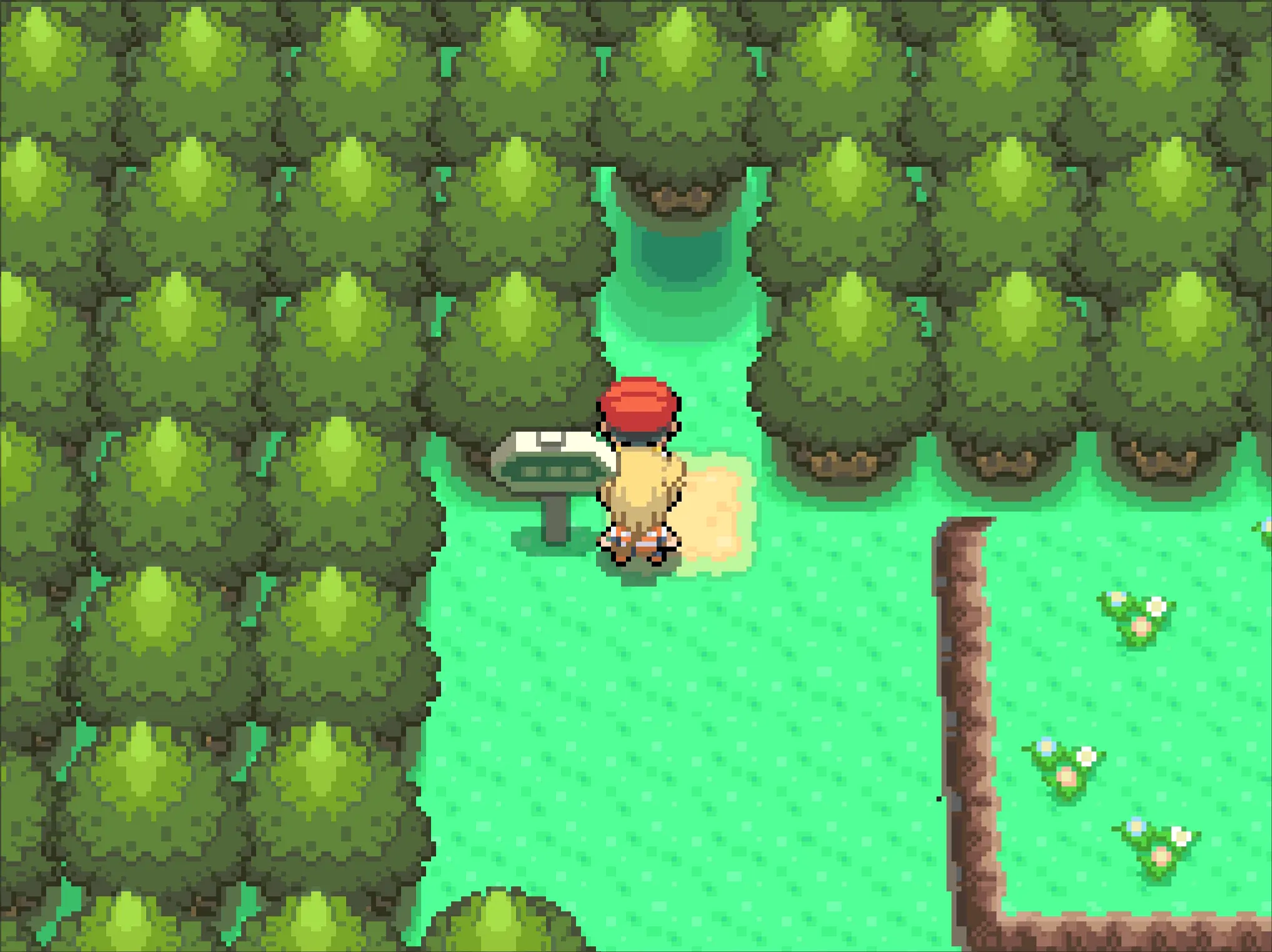 | 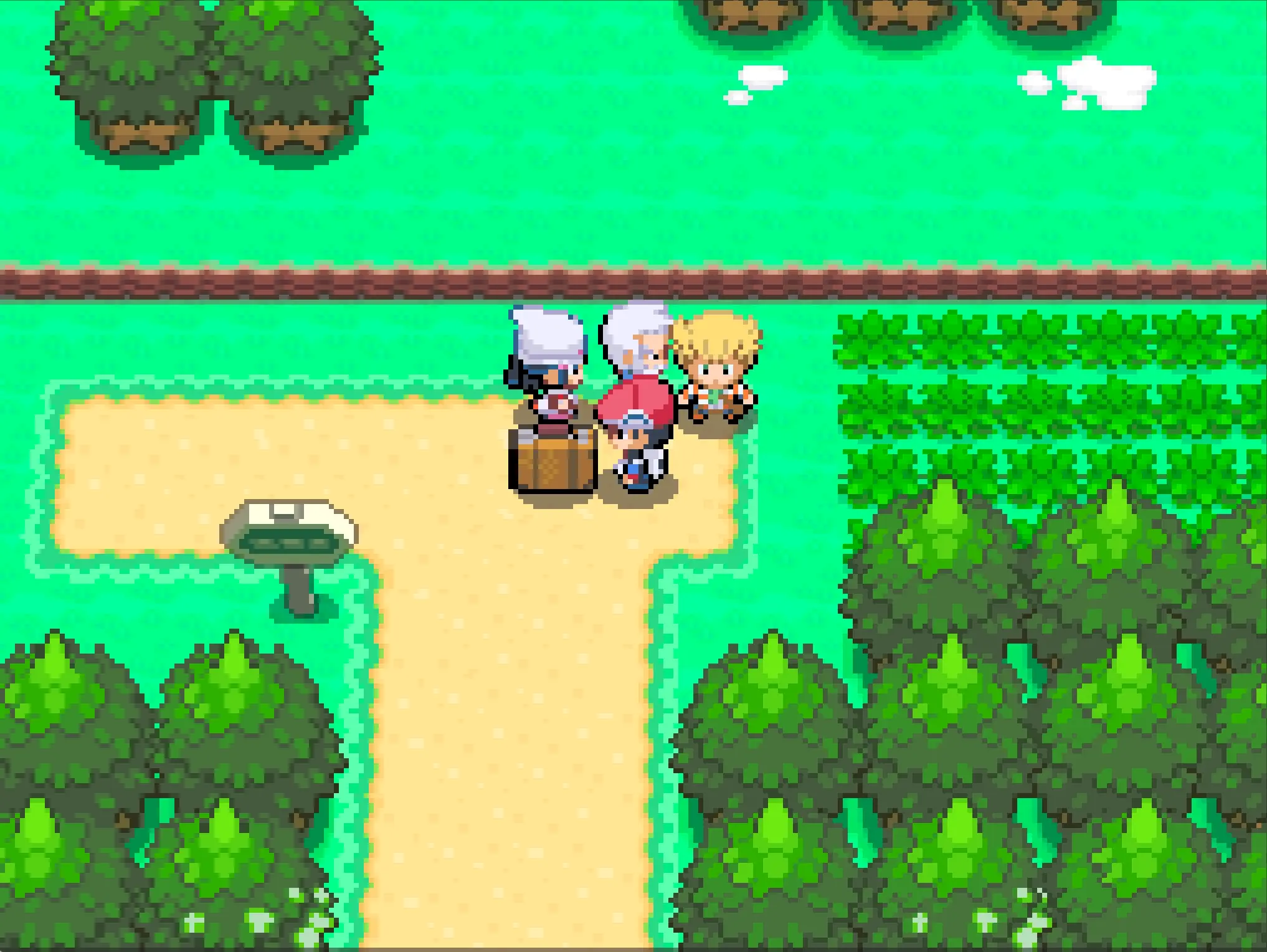 | 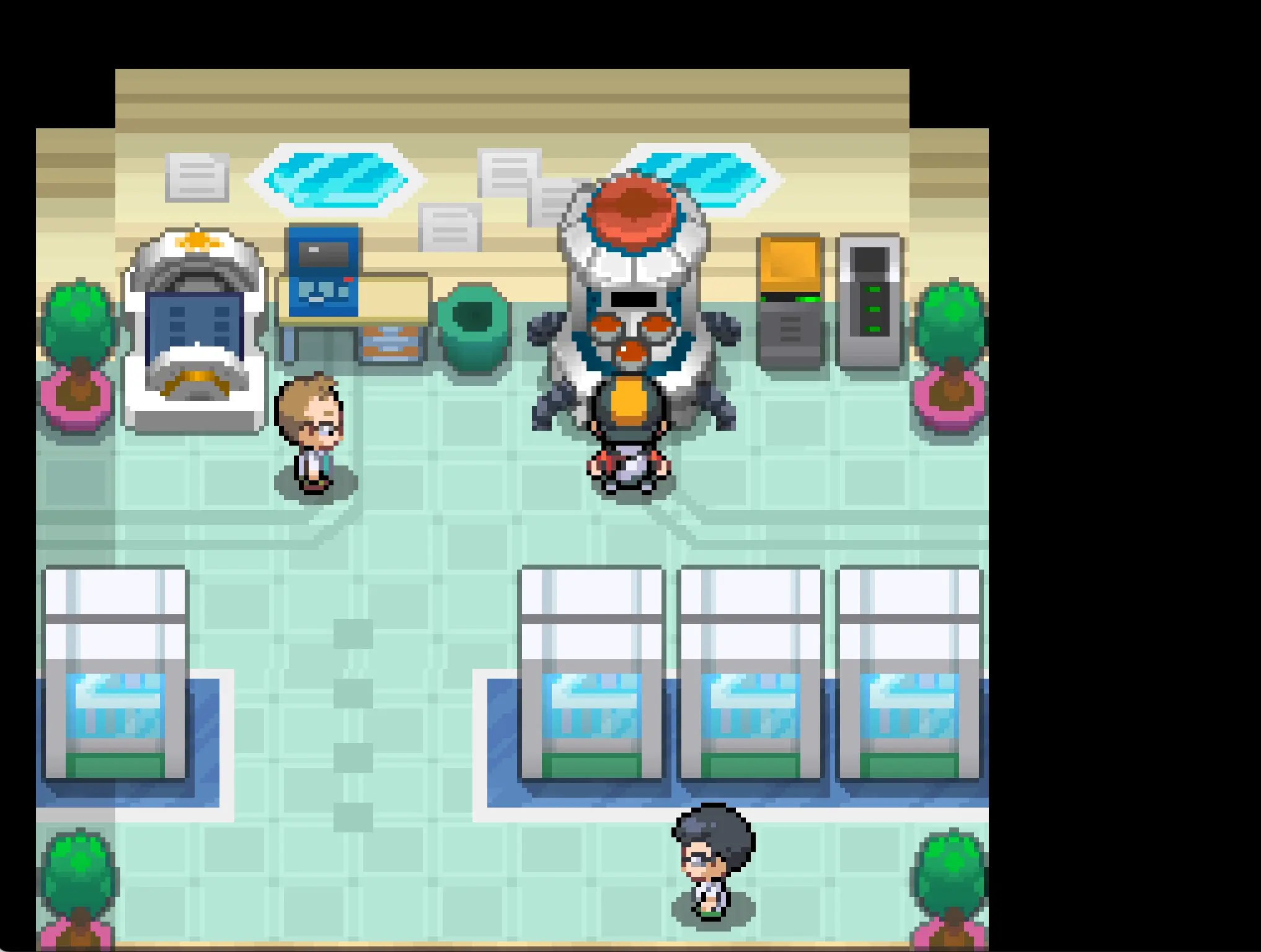 |
Prepare the console
- Set your console date to Unknown date.
- Start setting your console time to Unknown time, but don't confirm it just yet.
| Confirm time screen |
|---|
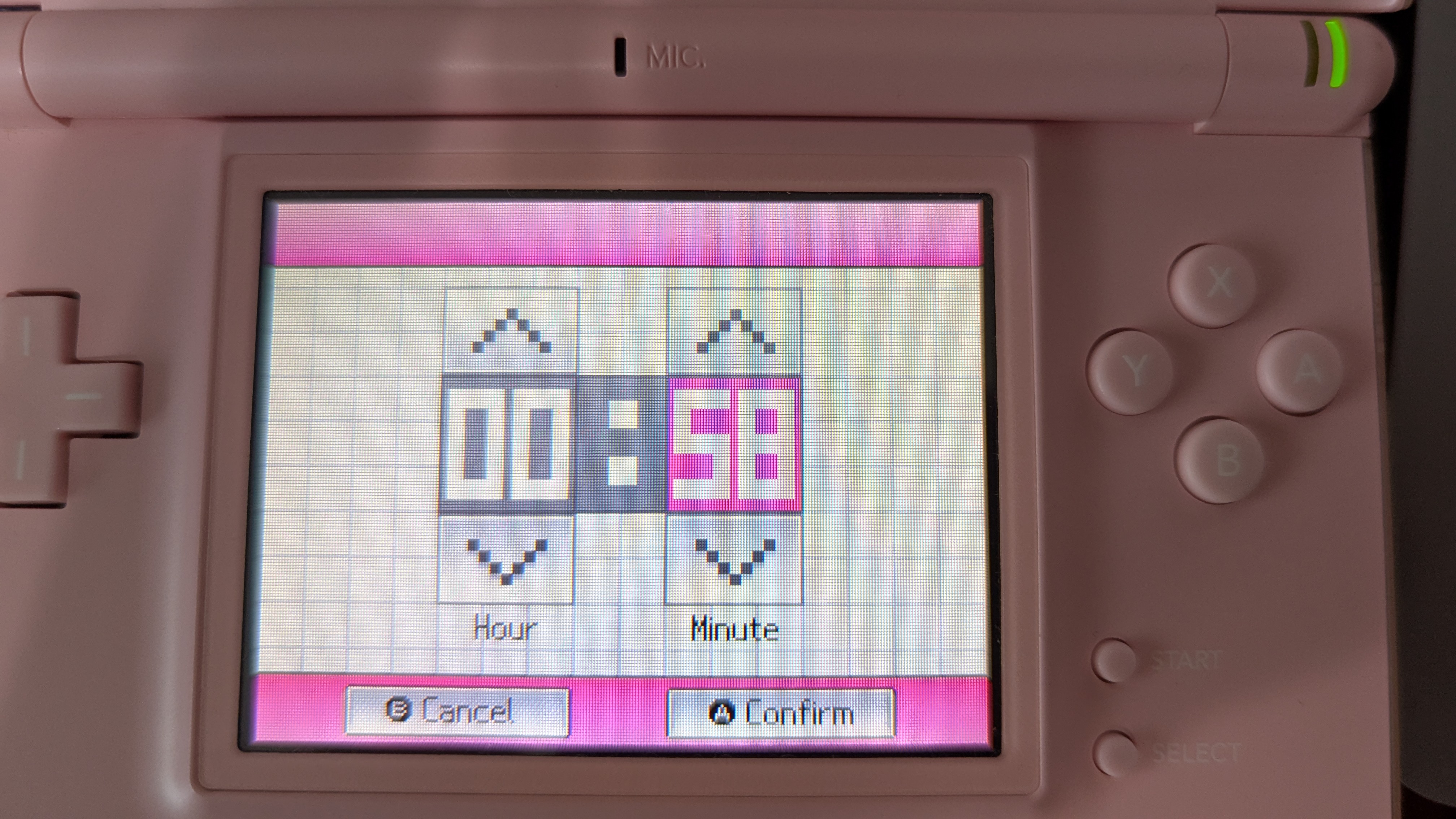 |
Hit your target
- Simultaneously press A to set the console time and start the timer below.
- Exit the settings on your console and restart your console.
- When the first timer ends, press A to start the game.
- Get to the screen where you load your save.
- Immediately press A when the second timer to goes off.
- If you're on Platinum, button mash to get your starter as fast as possible.
Tip
If you don't have enough time to hit your seed, go back to the previous step and search for a Pokemon with a higher "Max Delay".
Calibrate
- Check your Pokemon stats.
- If it matches your target, congratulations! You RNG'd your starter!
- If not, type your Pokemon info into the form below and click "Generate".
- Click "Calibrate" on the starter with the smallest delay offset (should be the first result).
- Try to hit your target again.
- If the "Flip Delay" column is checked for the Pokemon you hit, take one of these actions:
- For Any game, insert a GBA cart
- For HeartGold and SoulSilver, use the touch screen to press the down and up arrows on the continue screen.
- For Diamond, Pearl, and Platinum, click "New Game", then press B to return to the continue screen.
- If you've flipped the delay, you need to keep flipping it every time.
Credits
- Zaksabeast, Sorendog, EzPz, and RainingChain for various contributions to this tool
- Thanks to all PokeFinder contributors, whose work this tool is built upon.
- Chinese translation: xuanyelin, Hakuhiro.
- Italian translation: Fiask.