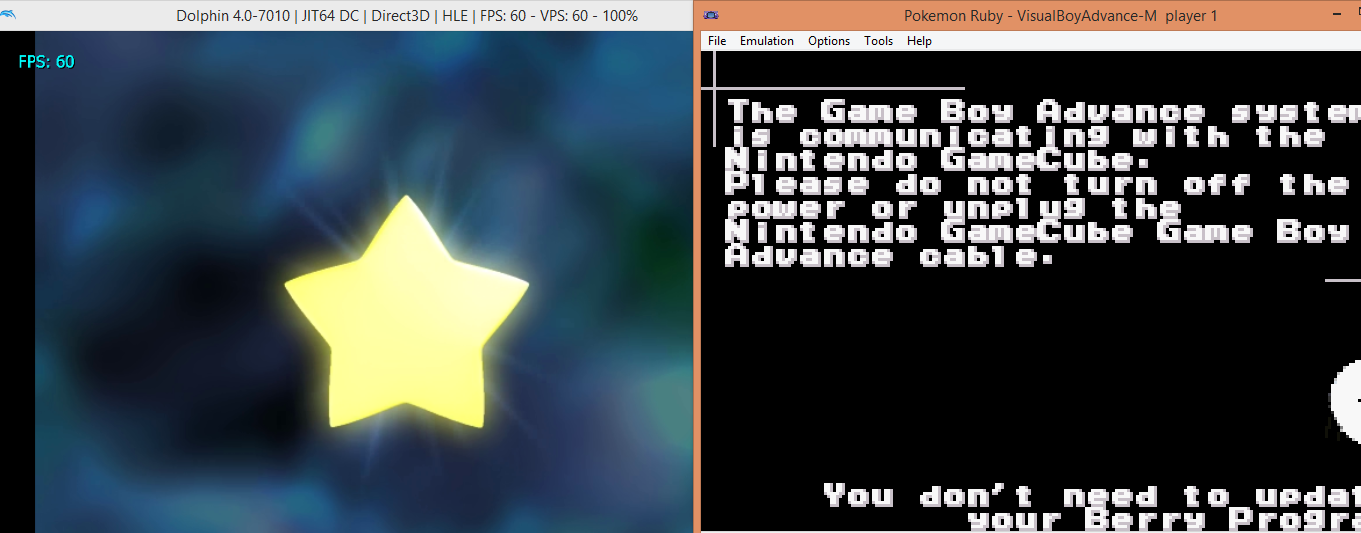
Connect Dolphin to VBA
Warning
Use the Connect Dolphin to mGBA Guide instead.
This link can be unstable and may not work 100% of the time due to timing inconsistencies between the two emulators. The performance of your PC could affect the success rate of the connection.
Tools
- VBA-M
- Dolphin 5 (some other versions might work, Dolphin releases new versions frequently)
- GBA bios
- You'll need a GBA and GameCube game that can connect.
- Colosseum Bonus Disc
- Pokemon Colosseum
- Pokemon Channel
- JPN Colosseum Bonus Disc
- JPN Pokemon Colosseum
- Pokemon XD Gale of Darkness
Step 1: Set up VBA-M
- Navigate to GBA options and select "use bios file".
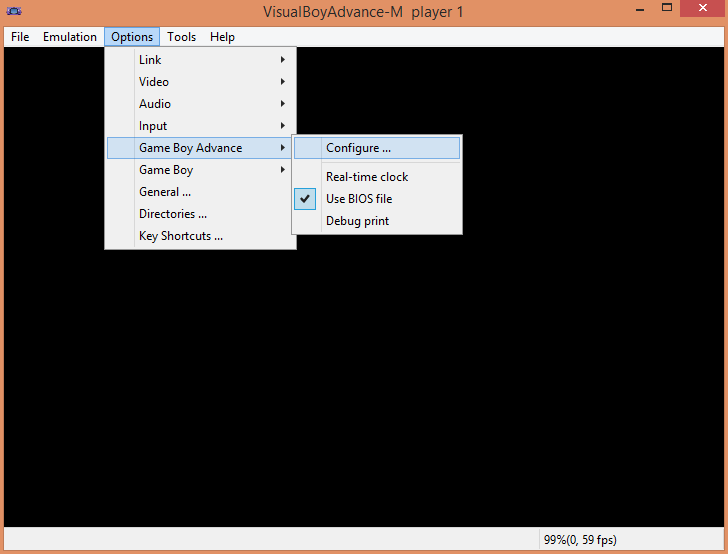
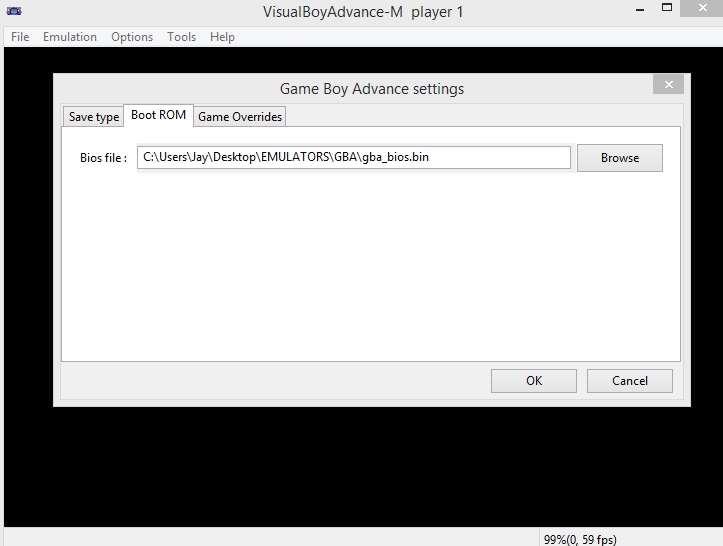
- Press configure and choose the bios file to use.
- Choose GameCube link.
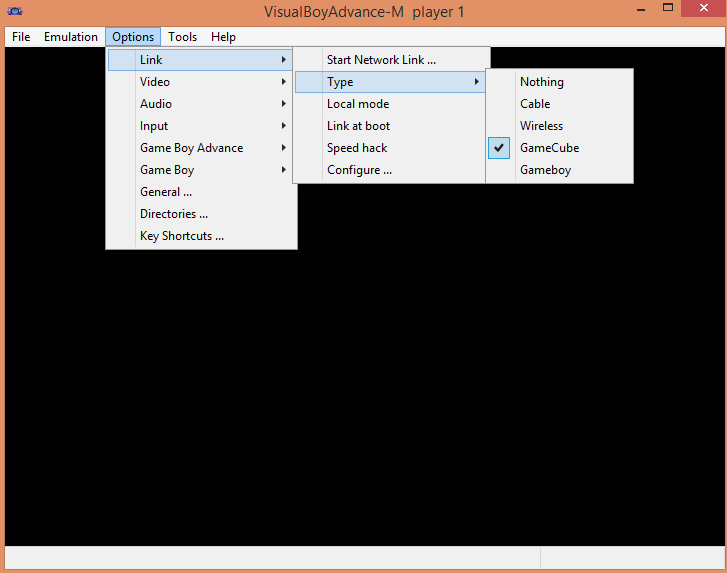
- Start the network link.
Step 2: Set up Dolphin
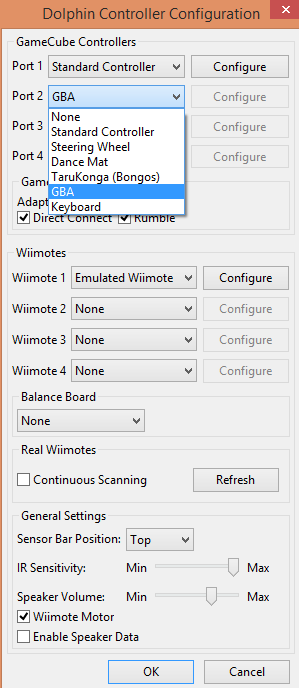
- Set port 2 to GBA.
Step 3: Establish the connection
- When asked by the GameCube game to activate your GBA, import the battery file.
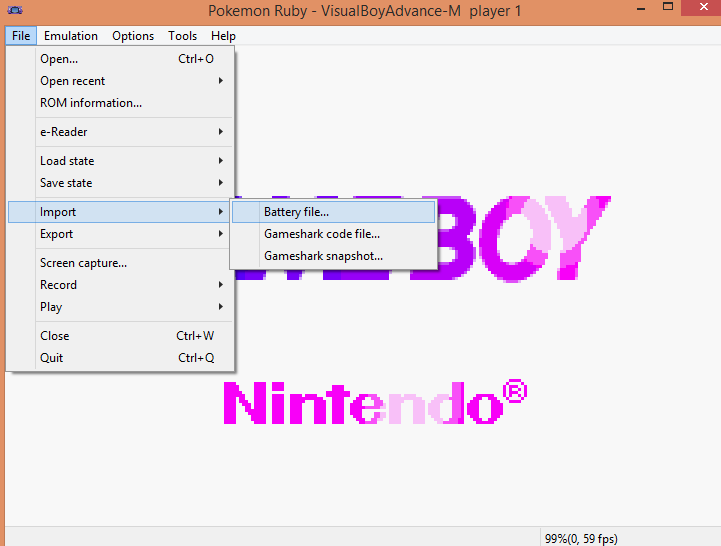
If the connection fails to establish immediately, try to restart the game or retry importing the battery file. If a connection is established but an error occurs, keep on trying.
- After few restarts, the connection should succeed.