Edit the savePath line of the lua script to match the path where your save is located.If you're on Windows, use double backslashes \\ in the path.
local savePath = "D:\\Desktop\\mGBA\\battery\\Pokemon - Ruby.sav" -- Write here the path of your Ruby/Sapphire save file
If you're on Mac or Linux, use single forward slashes / in the path.
local savePath = "/Users/username/Desktop/mGBA/battery/Pokemon - Ruby.sav" -- Write here the path of your Ruby/Sapphire save file
Step 2: Find a Target
Upload your save and use the tool below to search for a Jirachi.
If you see the "Need to save again!" error, save again and re-upload.
Open the lua script in a text editor.
At the top of the lua script, update targetSeed, targetSaveHour, targetMinute, targetSecond, and targetSixtiethSecond from your desired Jirachi.
Seed
Hours
Minutes
Seconds
Frames
Shiny
HP
Atk
Def
SpA
SpD
Spe
Seed
Hours
Minutes
Seconds
Frames
Shiny
HP
Atk
Def
SpA
SpD
Spe
No data
Step 3: Hit the Target Seed
Disable RTC in the emulator settings.
Load the game, then lua script.
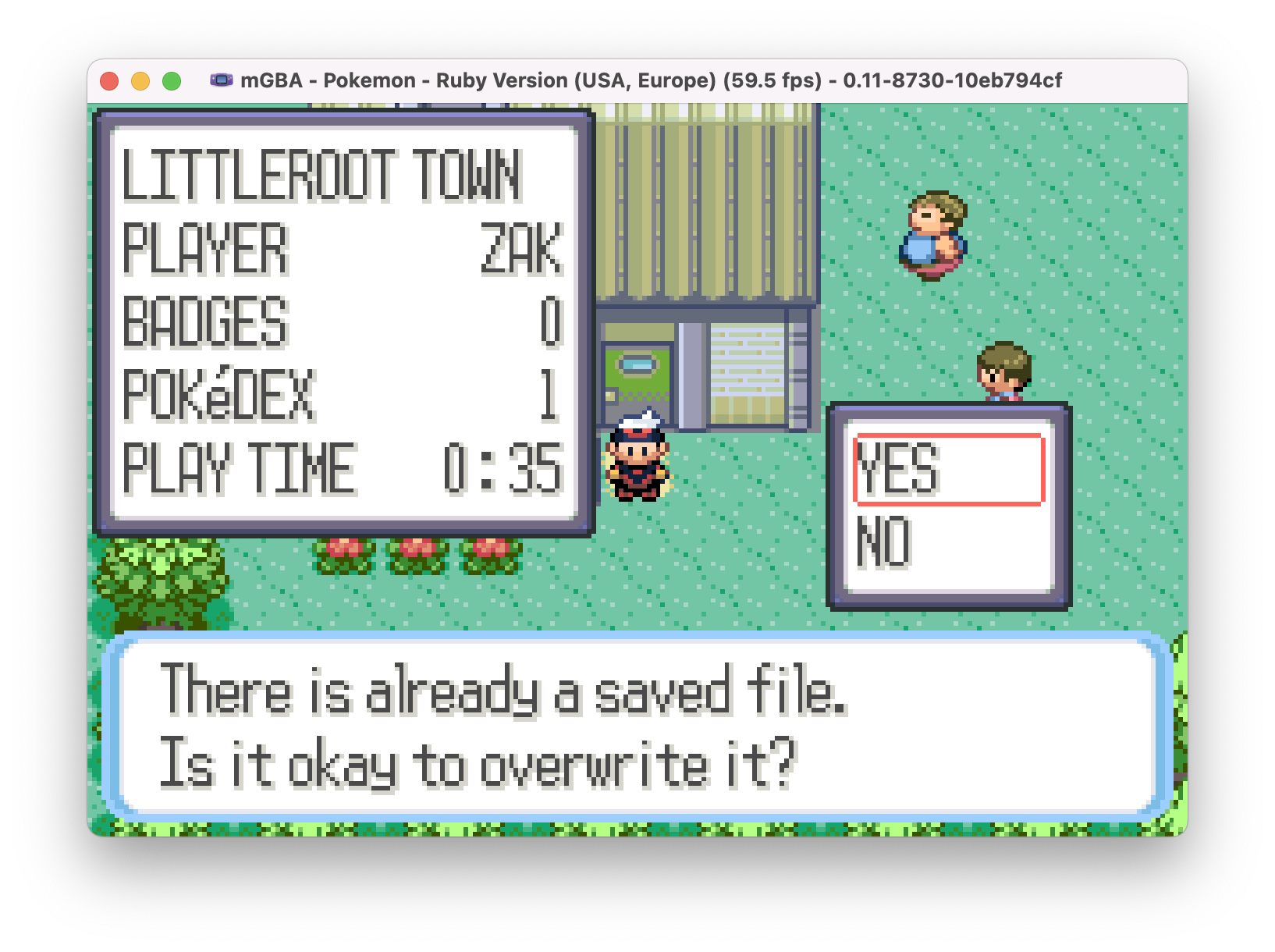
Start saving the game and stop when you see "There is already a save file."
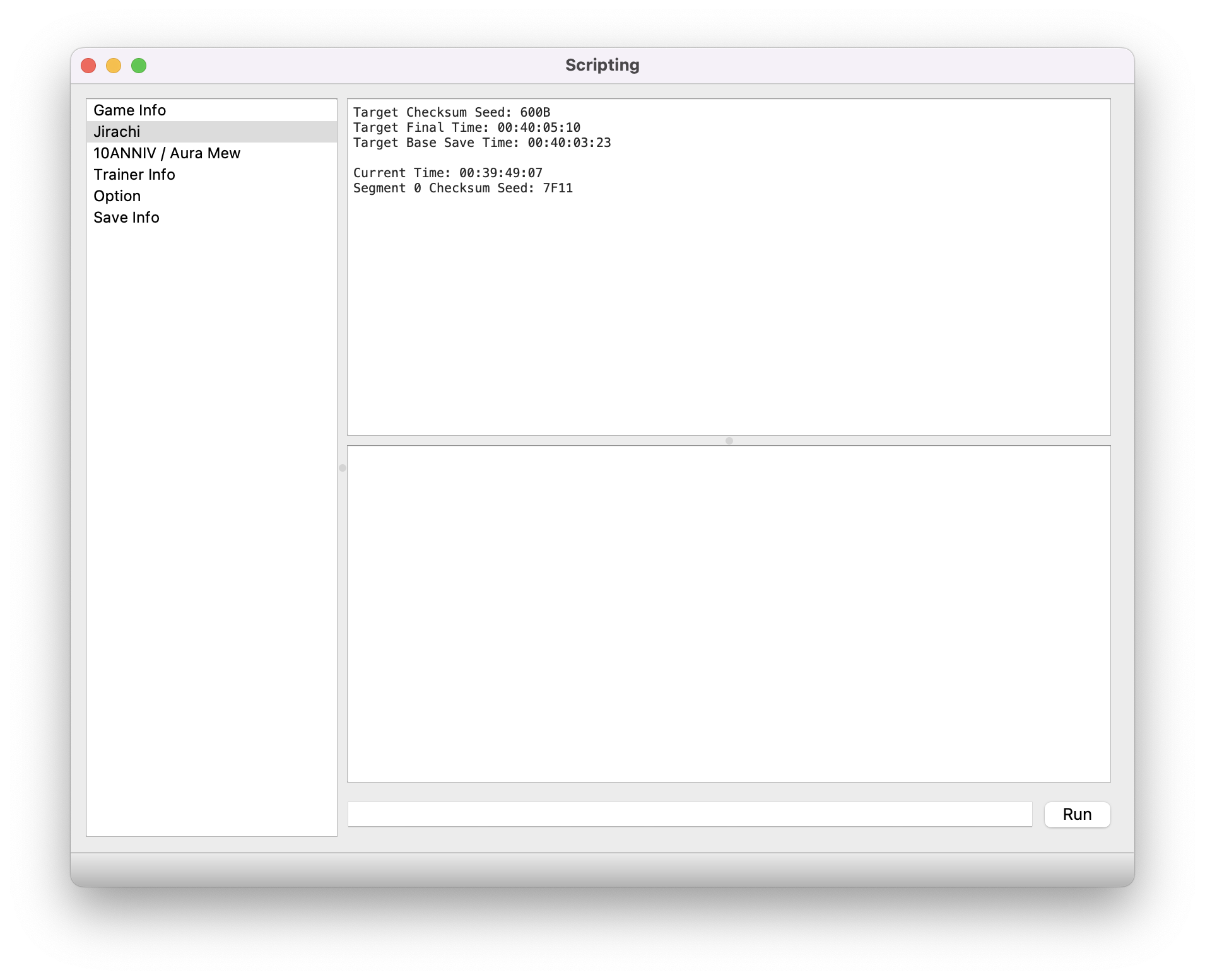
Pause the emulator when the lua script says Current Time is close to Target Base Save Time.
Manually advance frames until the lua script says Current Time matches Target Base Save Time.
Press A to save.
If the Segment 0 Checksum Seed matches Target Checksum Seed, congrats! Your save will redeem your Jirachi!
Troubleshooting
Double check and confirm RTC is disabled.If your block 0 checksum does not match a shiny Jirachi seed, restart the process from the beginning.Make sure you're saving at Target Base Save Time, not Target Final Time.