TID RNG
Tools
Step 1: Finding Your Initial Seed
- Open PokeFinder and go to Gen 3 IDs, then select the RS tab.
- Select the desired filter and enter the desired TIDs, SIDs, or TSVs.
- Leave the time and date as is, or adjust if needed.
- Click "Generate" and search for a matching TID.
- If no results appear, try adjusting the time, date, or increasing max advances.
Step 2: Hitting Your Initial Seed
- In mGBA, go to Tools -> Game Overrides... and enable "Realtime clock."
- Then go to Tools -> Game Pak Sensors..., select "Start time at," and enter the target time and date.
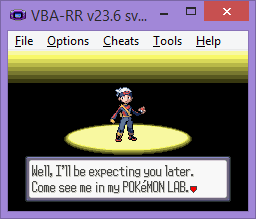
- Start the game and play until Prof. Birch says he'll see you later.
- Let the game advance to the target number of advances, making save states along the way.
Step 3: Adjusting for Delay
There is a delay between pressing A and when the TID/SID is generated. You need to account for this.- Note your target advance.
- When you reach it, press A to generate a TID.
- Enter this TID into PokeFinder and search for the result.
- Compare your actual advance with the target to calculate the delay.
- Example: If you aimed for advance 89103 but hit 89175, your delay is 72, so you need to press A 72 advances earlier.
- Reload a save state from before and press A at the new calculated advance.
If your TID/SID are swapped, go one advance earlier.
Enjoy your new TID!
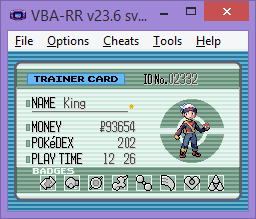
Here is an example of a successful ID RNG: