RNG With ACE
Last updated: 2026-07-13 UTCTools
- PokeFinder
- A stable ACE species
- Mystic Timer
- A Pokémon with Sweet Scent (only for wild)
- At least one free slot in the party (optional, recommended to calibrate faster)
Important
This guide assumes a basic knowledge of Gen 3 RNG.
Pokémon obtained with this method are not illegal despite the use of ACE.
Step 1: Preparation of the Seed and the Code
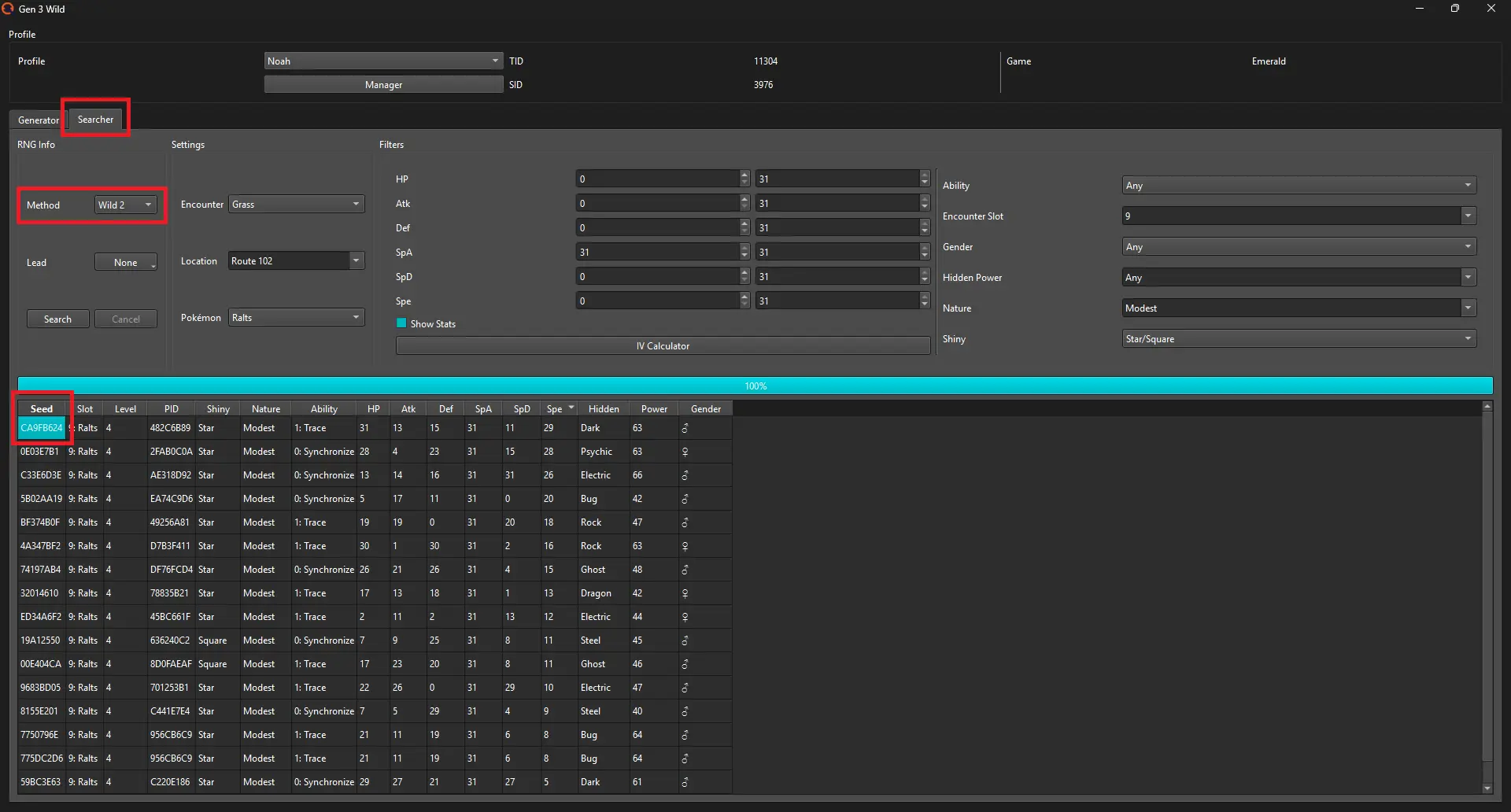
Prepare your target and generate the ACE code to change the Initial Seed.- Open PokeFinder → Gen 3 → Wild/Static.
- Go to the "Researcher" tab and filter the target Pokémon. If it is wild, select "Wild 2". Do not close PokeFinder.
- Copy the Seed of your target.
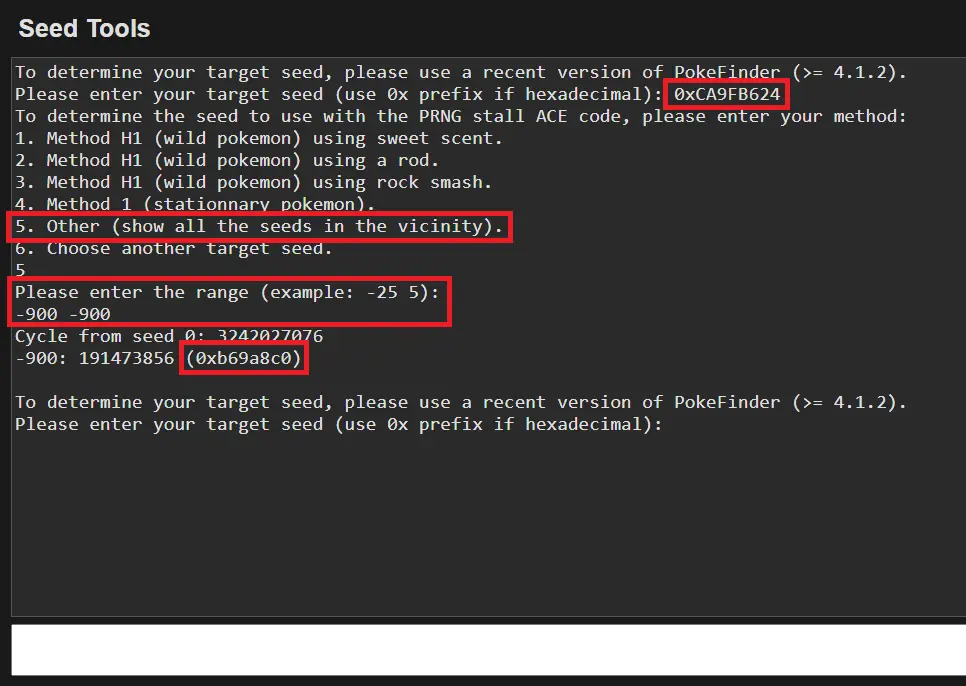
- Use this script by E-Sh4rk to obtain the seed to use for the code.
- Paste the Seed adding 0x at the beginning.
- Enter 5 as category.
- Set the range to -900 -900 (~15 seconds).
- Copy the Seed generated in output.
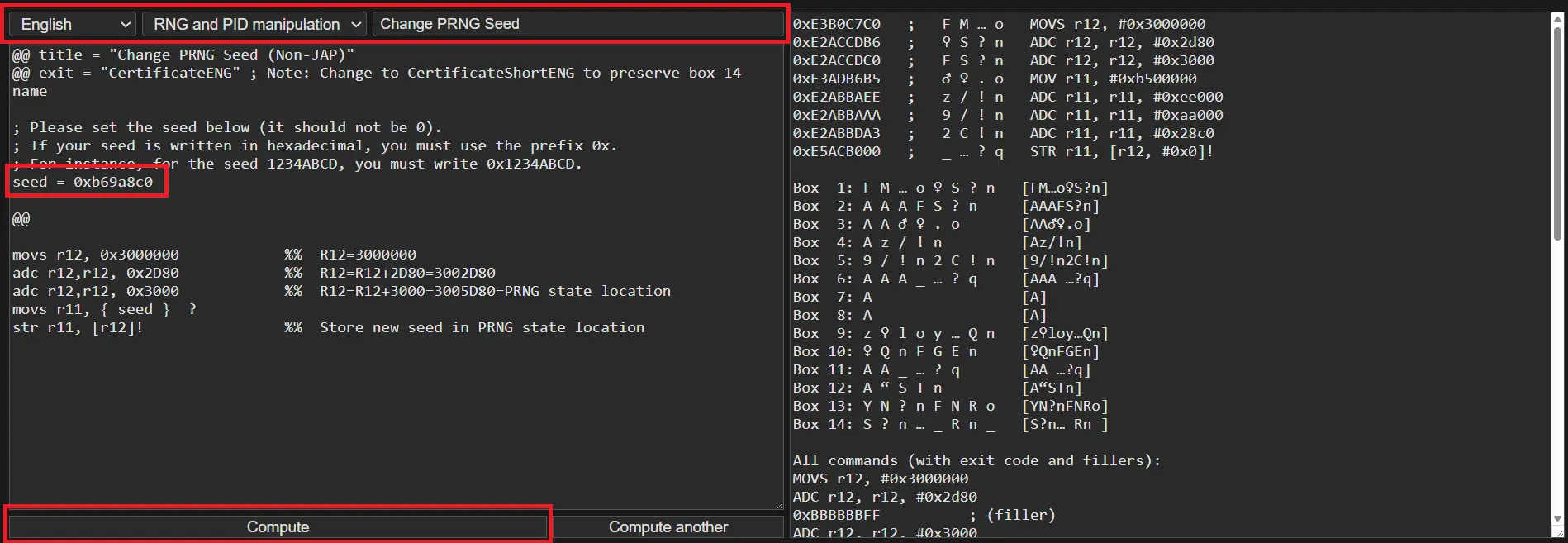
- Use the ACE script generator by E-Sh4rk to obtain the code.
- Go to "RNG and PID Manipulation" and select "Change PRNG Seed".
- Paste the Seed keeping 0x and finally click "Compute".
- Enter all the codes into the game.
- Save and execute the script to verify that it works.
Warning
If the game crashes or freezes, check the codes and make sure there are no Pokémon or ghost data in Boxes 12, 13, 14 and in the last row of Box 11. Repeat until the Pokédex diploma appears.
This is how to remove ghost data. Do this in Box 11, 12, 13, 14 if you encounter issues.

This is how to remove ghost data. Do this in Box 11, 12, 13, 14 if you encounter issues.
Step 2: RNG of the Pokémon
Perform the RNG after setting the new Initial Seed.- Save in the correct spot to capture your target.
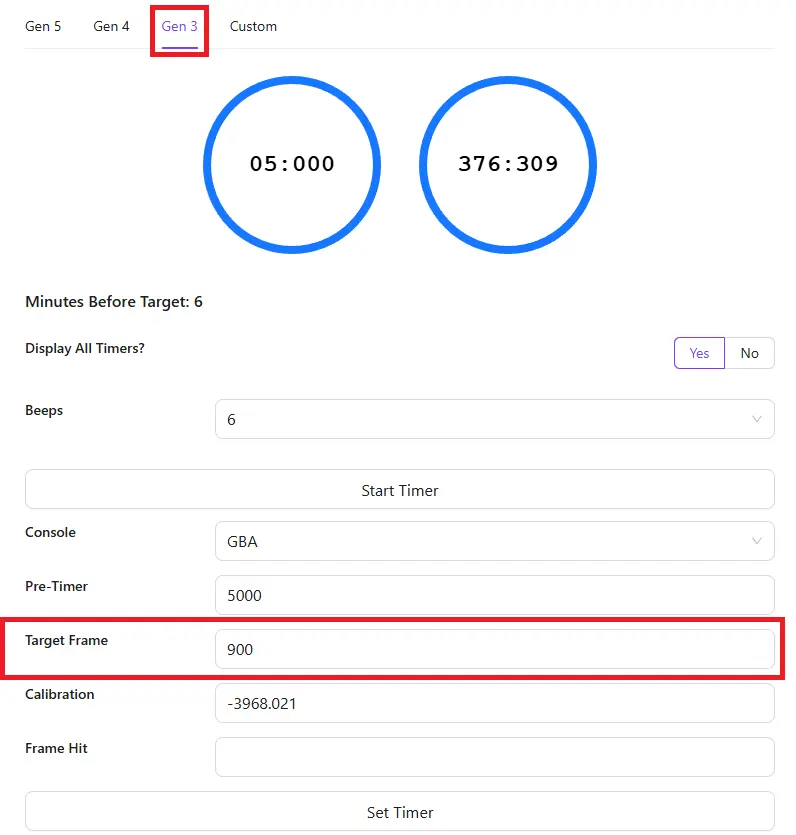
- Open Mystic Timer and select Gen 3.
- Set the timer with Target Advance = 900.
- Start the timer and open the ACE species info at the same time.
- Proceed as in a classic RNG.
| Mystic Timer Config |
|---|
 |
Step 3: Calibration
Calibration is different because the Seed has been modified directly.- Configure the settings based on the capture location. If it is wild, select "Wild 2".
- On Generator tab, paste the Current Seed you've used in the Code Generator into Initial Advance field and hit generate.
- Filter and find the Pokémon you've actually hit.
- Calibrate the value PokeFinder outputs.
- Repeat until you obtain the desired Pokémon.
Troubleshooting
- The IVs may be incorrect even if everything else is correct. The use of ACE can in fact alter audio or graphics. This affects the cycle counter of the wild method, generating one different from Wild 2.
- If the IVs do not match, the only solution is to try again.
Credits
- Fiask for writing this guide and translating it to Italian.