Parent's IVs and compatibility (talk to the daycare man)
TID and SID (if going for shiny)
Intro
The egg's PID in FRLG is generated in two parts. The first part is set when the egg is generated, and the second part is set when picking it up.
Setup
Deposit both parents at the daycare. The order doesn't matter.
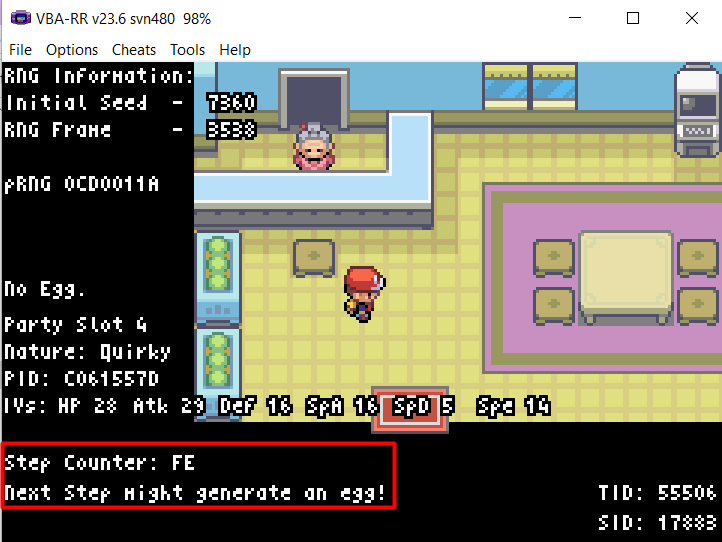
Stay inside and take steps until the Lua script displays FE for the step counter. Do this inside the daycare.
Create a savestate before continuing.
PokeFinder Setup
Open PokeFinder and go to Gen 3 Egg. Select the Fire Red/Leaf Green tab.
Enter the parents' info, including compatibility.
Set a frame range. The max for Frame Held must be lower than the min for Pickup Frame.
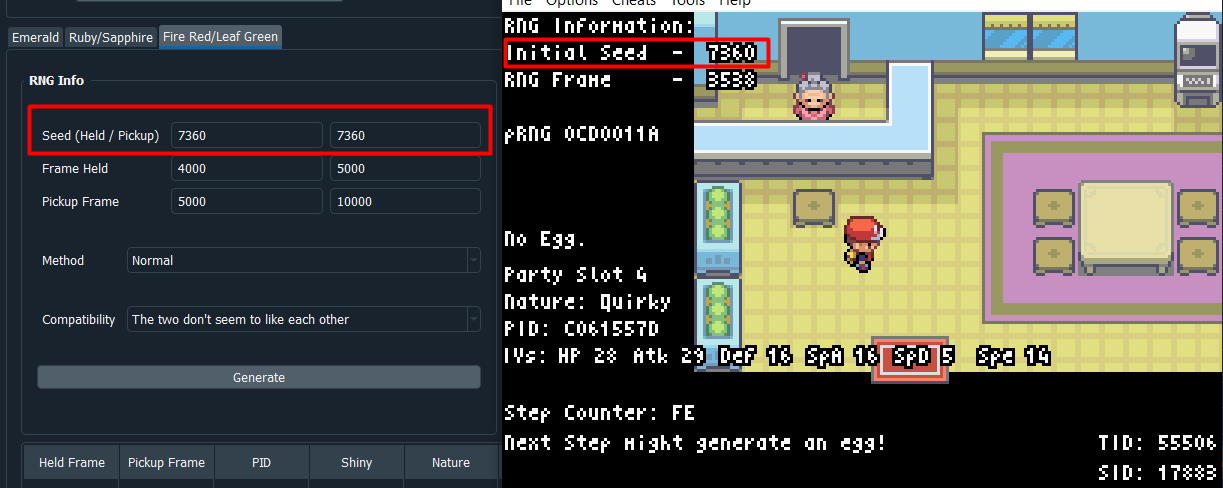
Find your initial seed from the Lua script, enter it, and search for a spread.
You'll need to hit two different frames.
Held Frame RNG
Take one step at the right frame to generate an egg. Use CTRL + N to advance frames while paused. When on the target frame, hold a directional button and unpause.
In PokeFinder, subtract 18 from the target frame and step on that frame.
If no egg appears, double-check your inputs. If correct, try a delay of 17 or 19.
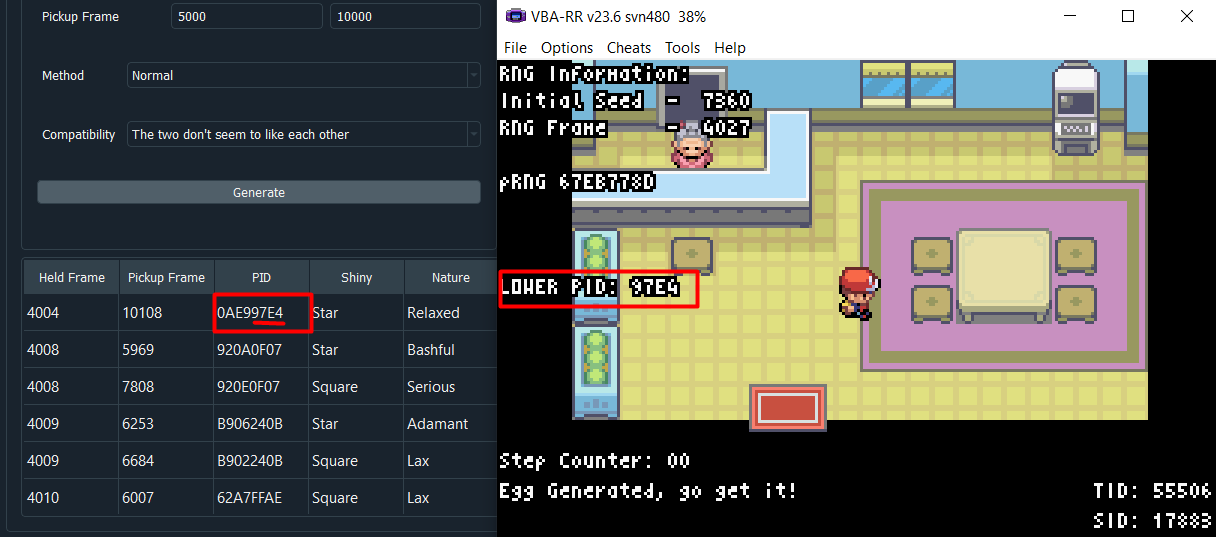
After stepping, the Lua script will show the second half of the PID. If it matches, continue. If not, restart and try again.
Held Frame RNG is done. Now for Pickup Frame RNG.
Pickup Frame RNG
Create a savestate to avoid missing the A press.
Exit, talk to the old man, and accept the egg. Pause at the last dialogue ("Take good care of it.").
Advance to the target frame, pause, hold A, and unpause.
The Pickup Frame delay is 3. If incorrect, try 2 or 4.
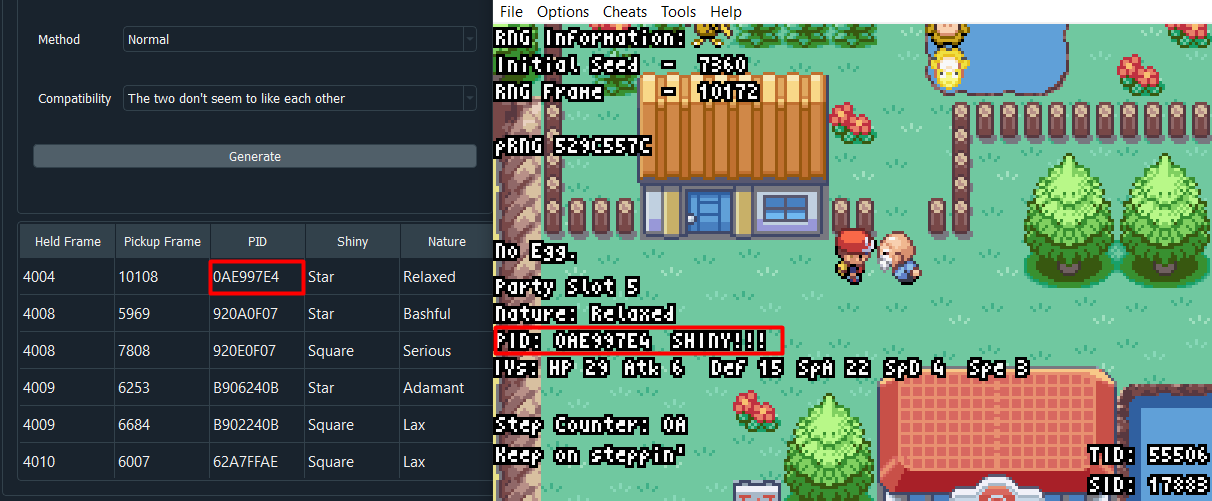
If successful, your egg's second PID half should match.
If it doesn't match, recheck your steps and use savestates.